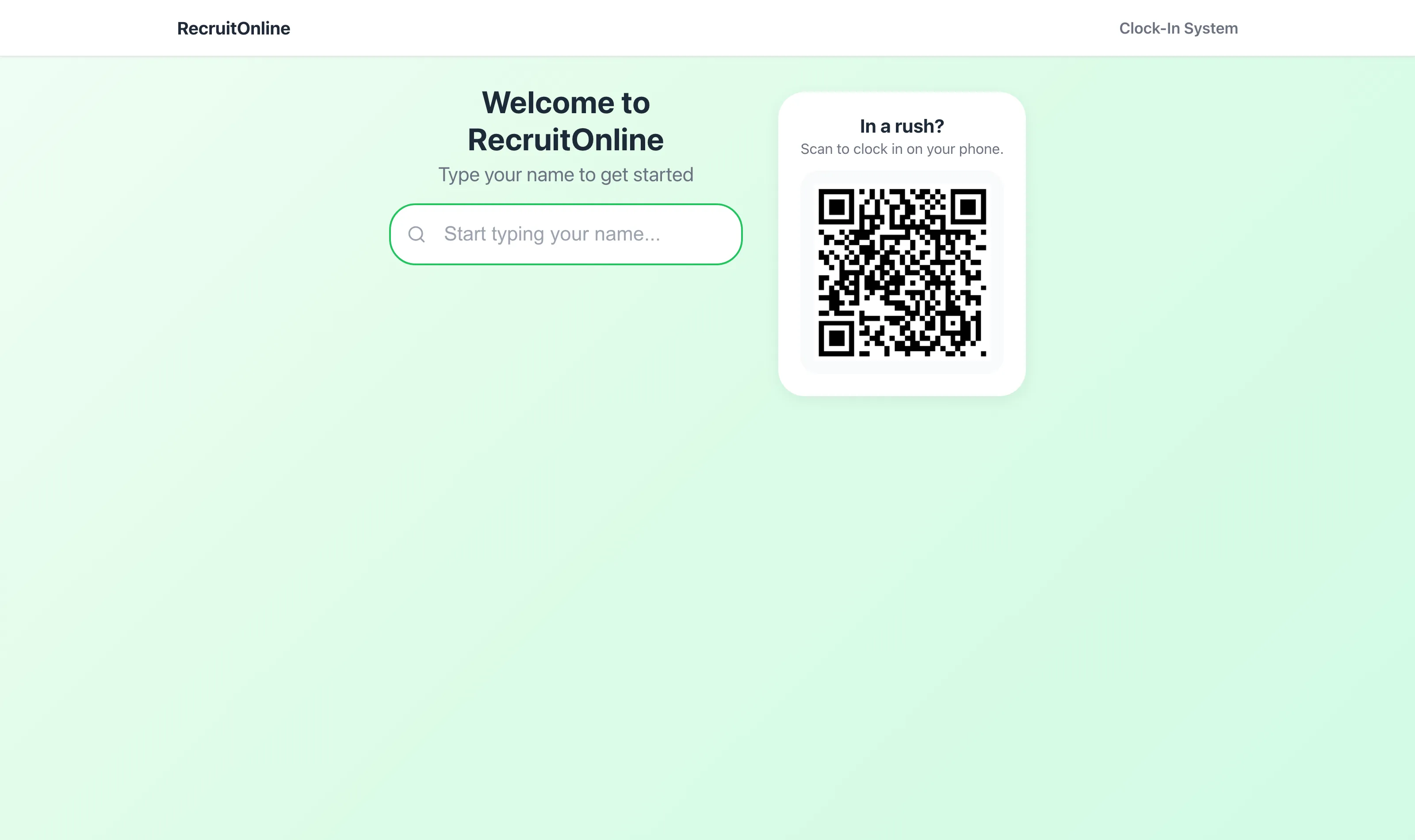
Who's on site. Right now.
A tablet at the gate, a rolling QR code, and every start, break and finish captured against the booking - GPS-stamped, photo-verified, and flowing straight into approvals and timesheets.
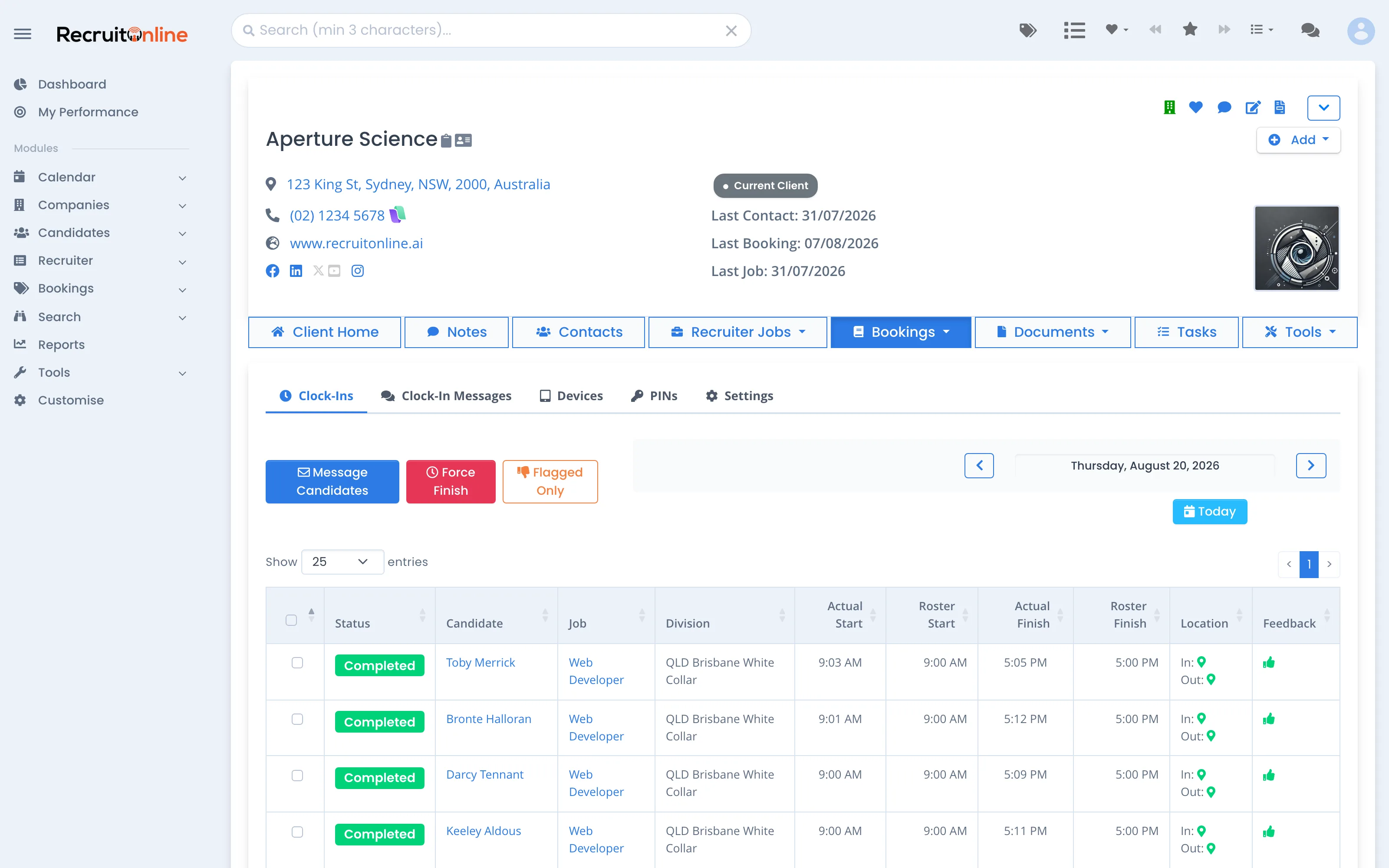
Rostered vs reality, live.
Every booking for the day with actual start against rostered start: who's on site, who's running late, who never showed. Message candidates, force-finish a forgotten clock-out, or filter to flagged shifts only.
Built for gates, wards and warehouses.
Kiosk or their phone
Type a name at the tablet, or scan the rolling QR and clock in from your own phone - no app install for workers.
GPS & photo verified
Location stamped on the way in and out, with distance from site, and a photo captured at clock-in on devices that require it.
Approvals with an audit trail
Approve or reject each shift - rejections carry a reason, and every decision is recorded against the clock-in.
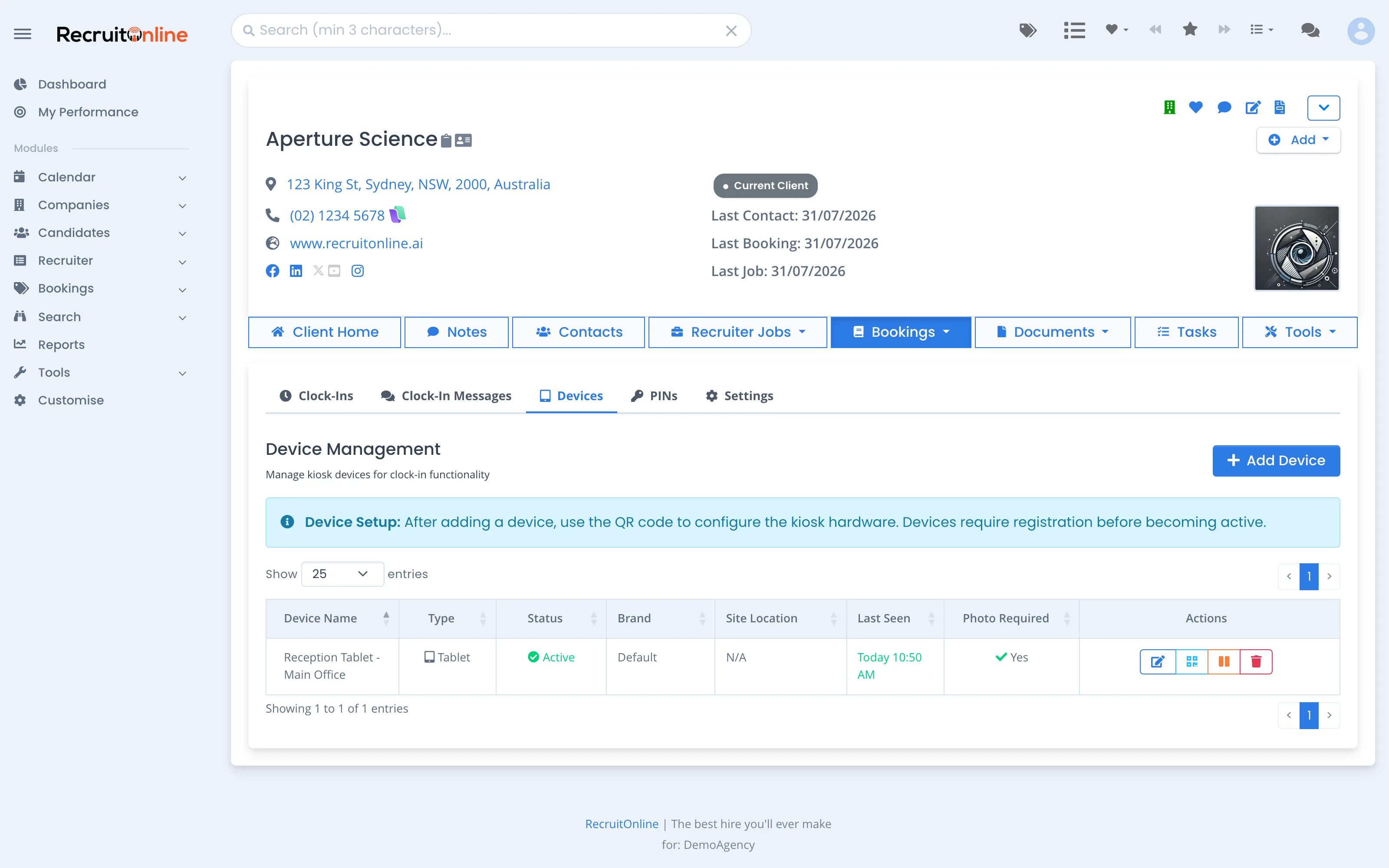
Device management
Register a tablet with a setup QR, see when it last checked in, pause or retire it - per client, per site.
Breaks & auto finish
Breaks tracked against the shift, and forgotten clock-outs force-finished from the board so hours stay honest.
Feeds timesheets
Approved clock-ins flow to timesheets against the booking - and on to PinvoiceR for pay & invoicing if you use it.
Set up a site in an afternoon.
Add a device against the client, scan the setup QR on the tablet, and it's live. Workers with active bookings get PINs; messages for the crew can be shown at the kiosk.
Know who's on site before the client calls.
Kiosk & Clock-ins is an add-on to any plan - see it running on sample bookings.